Voice-triggered dispatch, clearly connected.
A spoken phrase calls your list in order. Whoever answers hears the announcement and is connected.
The console shows each call leg as it happens, so the duty desk sees who answered and who is connected.

How a run works
Four steps, each one an event you can follow on the console and in the run timeline.
Step 1
Spoken trigger
Someone at the desk says the trigger phrase, “Connect the duty desk”. The Start run button and a typed phrase start the same run.

Step 2
Attempts in order
Destinations are called one at a time, top to bottom. A busy line or a ring timeout moves the run to the next one.

Step 3
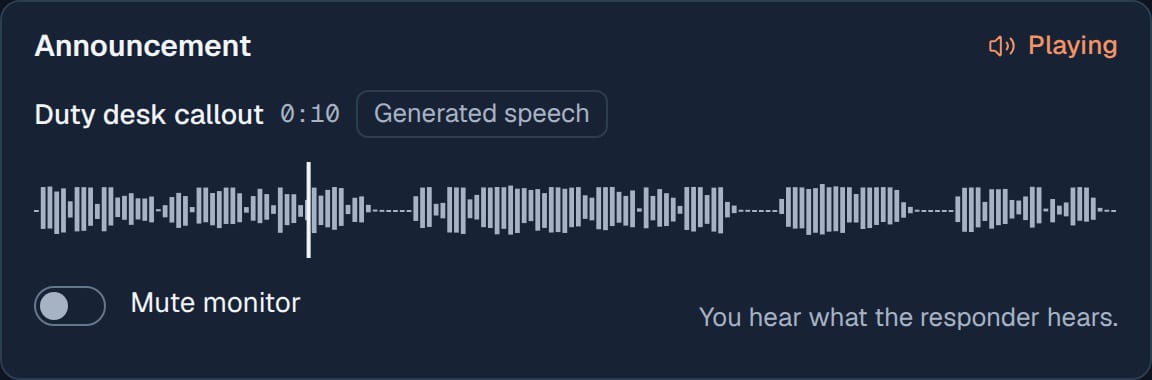
Announcement
The first destination to answer hears the announcement. The console shows this as Answered: a network answer, which a voicemail box can also give.
Step 4
Live connection
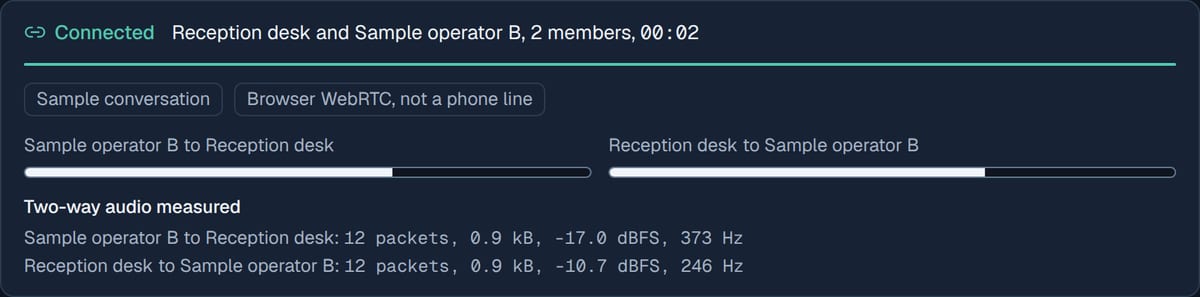
The announcement stops before the live connection starts. The responder joins the desk, or is handed to an operator, and the audio is measured both ways.


Walkthrough
One minute of the public simulator, recorded from the running workspace.
What the workspace does
The workspace runs in your browser on a simulated line. The integration with a real phone system and a relay is a separate set of parts.
In the workspace today
SimulatedSample scenarios
Five scripted runs, from a third contact answering to a line interrupted mid-announcement. They need no microphone.
Routes
Ordered destinations, ring timeout, retries, active hours, and direct connect or operator handoff, with a summary before saving.
Announcements
Upload or record audio, preview it on its real waveform and assign it to a route.
Runs
Every run made in the browser as a timeline with absolute and elapsed times, exported as CSV or JSON.
Two-way audio test
Two WebRTC endpoints in the page send audio both ways, and each side reports what it receives.
Integration with a real line and a relay
These parts are delivered as code and commissioning steps. They are disabled by default and have not been run against real telephony or hardware in this build.
Asterisk ARI adapter
Not configuredPlaces calls through your own Asterisk, over a SIP trunk or extension. Real calls need an allow list and a switch set on the kit.
Linux and Raspberry Pi agent
Not configuredA Python agent with the same run rules as this workspace, a hardened systemd unit and a check command that reads the configuration.
GPIO relay adapter
Not configuredDrives one output line through libgpiod to an isolated solid-state output, with an optional feedback input. The output is off at start.
The kit
The intended kit is a small computer at the desk with a microphone and speaker, a wired network connection to your phone system, and an isolated output that switches on when the call is answered.
Screens
Configuration and history, from the same workspace.
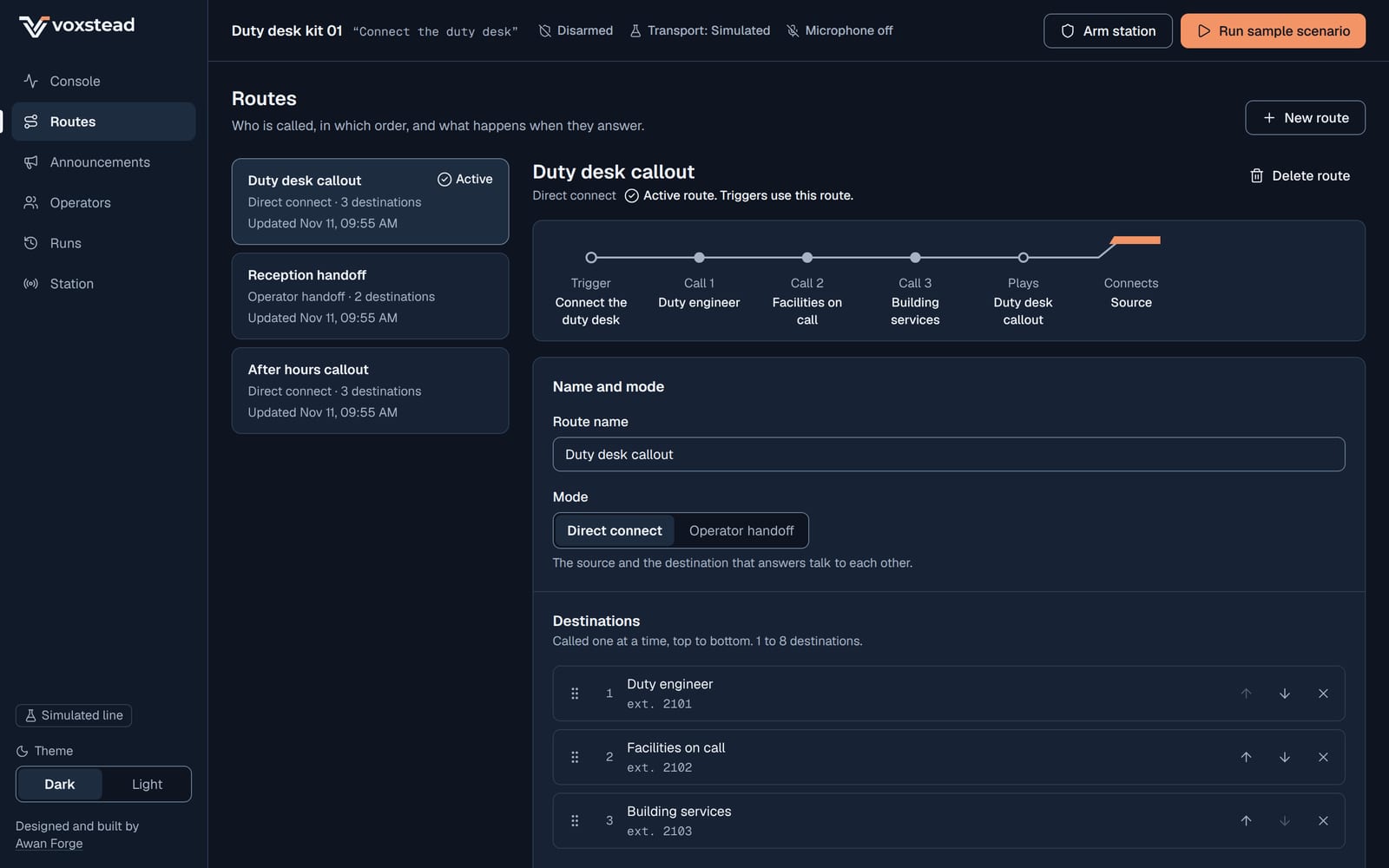
Routes: the destinations in calling order, with the route preview. 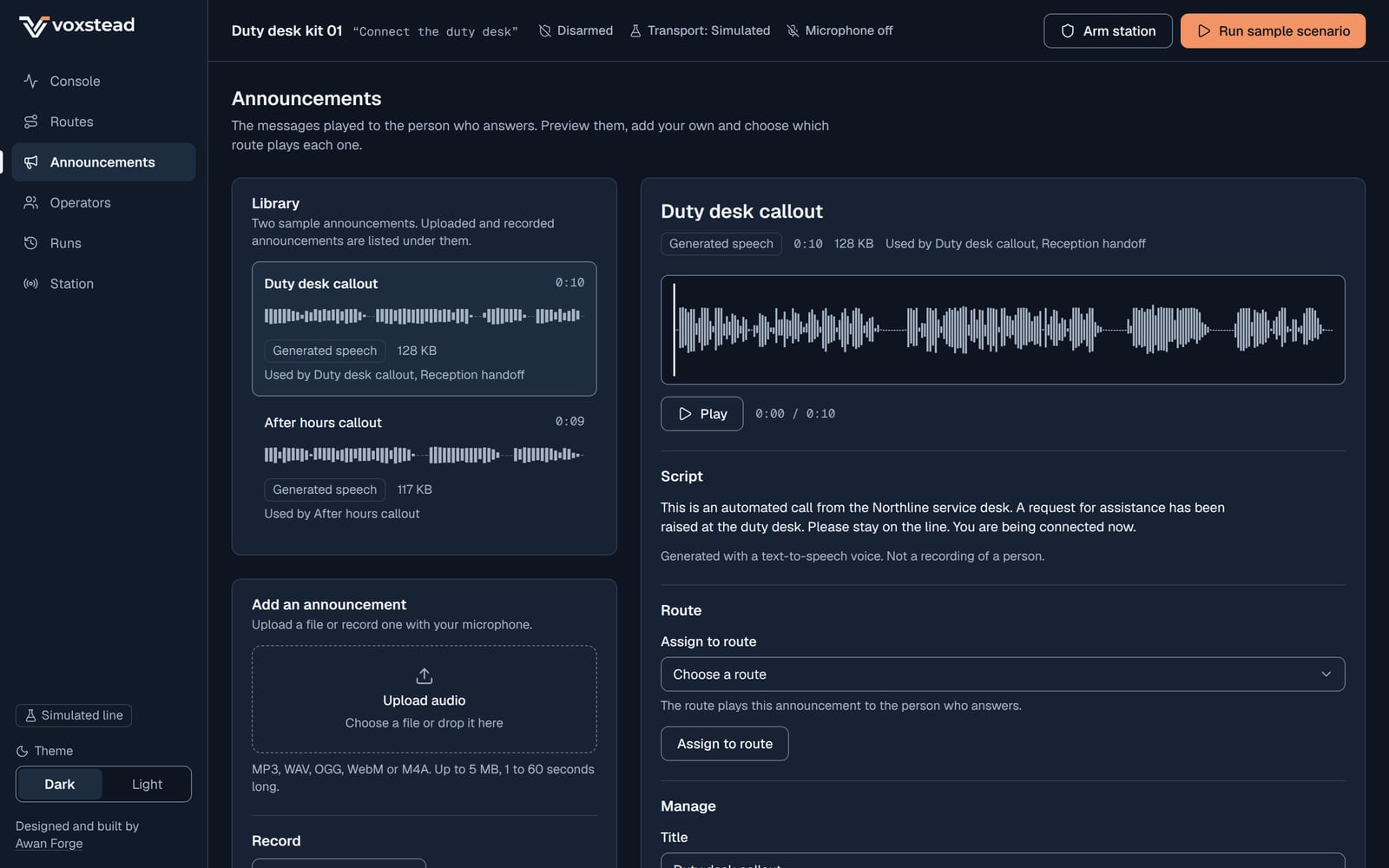
Announcements: each clip with its transcript and the waveform of the decoded audio. 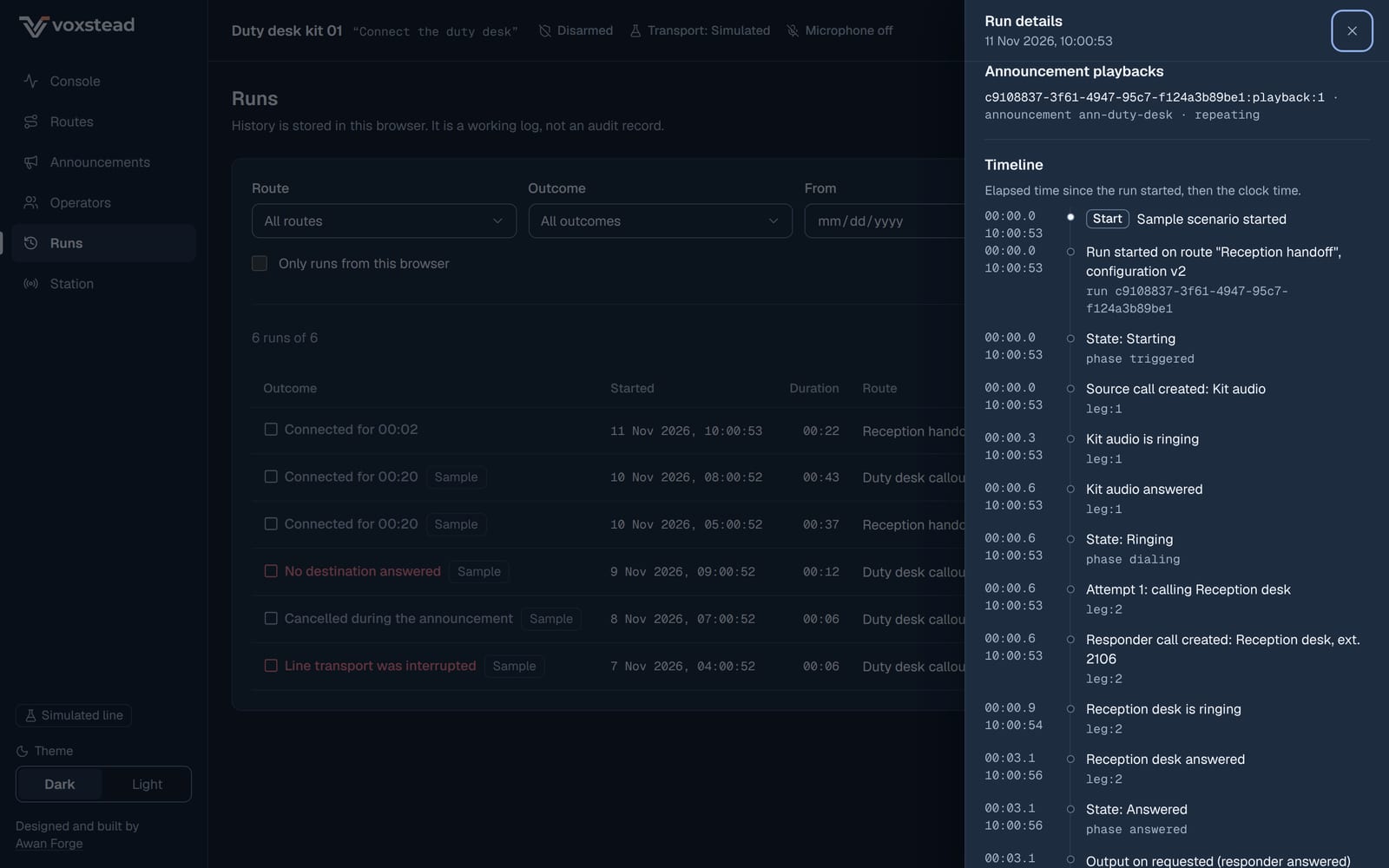
Runs: the run details with call legs, playbacks and the timeline. 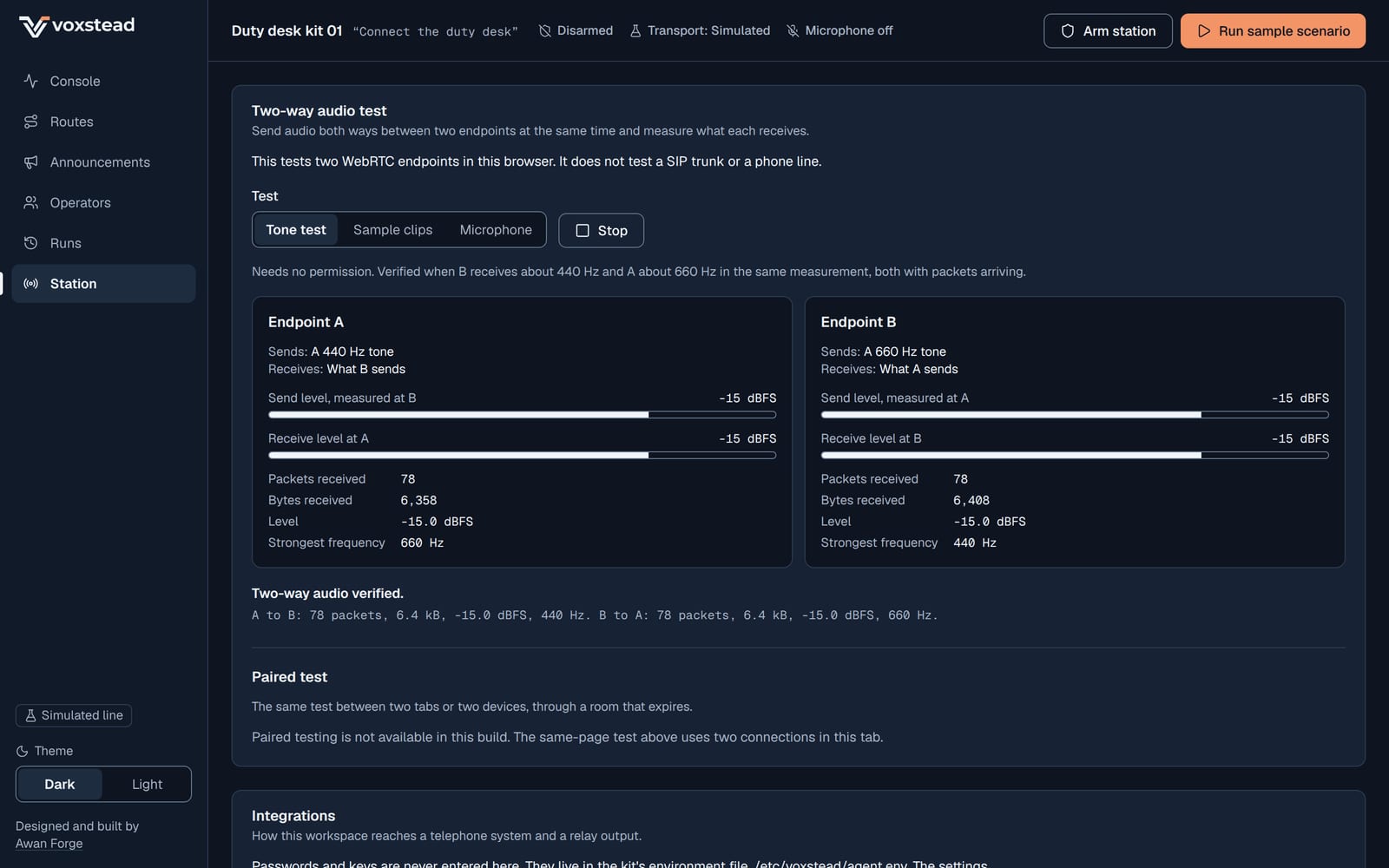
Station: the two-way audio tone test with what each endpoint received.


Run a sample scenario
Open the workspace and choose a scenario from the header. It needs no microphone and no account, and your changes stay in this browser.
Open workspace